I run my marketing consultancy and this website on two AI tools that cost $40 a month. Here is what each business job needs, what I would skip, and what changed for small businesses in October 2026.
Published October 27, 2026 · 10 min read
The best AI tools for small business owners are the ones that take over a weekly chore: a chat assistant (ChatGPT, Claude or Gemini) for writing and research, a design tool like Canva for graphics, and the AI features already inside your email, CRM and accounting apps. Start with one task, measure the hours saved, then add more.
- Start with one repetitive task, not ten tools.
- One chat assistant covers most writing, research and first drafts.
- Use the AI already inside your email, CRM, ad and payroll tools before buying anything new.
- My whole paid AI stack is $40 a month: Claude Pro and ChatGPT Plus.
- October 2026 brought a Gemini business hub, AI-connected payroll from Gusto and a $500 million Goldman Sachs AI programme for small businesses.
Last updated: October 27, 2026 by Afraz Alam, Digital Marketing Consultant and writer and editor at Techfee. Written from my own AI workflow and checked against the US Chamber of Commerce 2026 small business report and October 2026 announcements from Google, Gusto, Goldman Sachs and OpenAI.
How did I choose these AI tools?
I sorted every tool into two labels. Tested means I use it on real client and Techfee work. Researched means I read the vendor’s own documentation and independent coverage, but have not run it on my own work yet.
My paid stack is two tools: Claude Pro ($20 a month) for deep research, writing and multi-step tasks, and ChatGPT Plus ($20 a month) for fast research and quick questions.
Work that used to take me most of a day, such as researching, outlining, writing and scheduling an article, now takes me about 1 to 1.5 hours with human checks built in. That is my own rough number, not a vendor benchmark. The full breakdown is in How to use AI in marketing.
Which AI tools does a small business actually need?
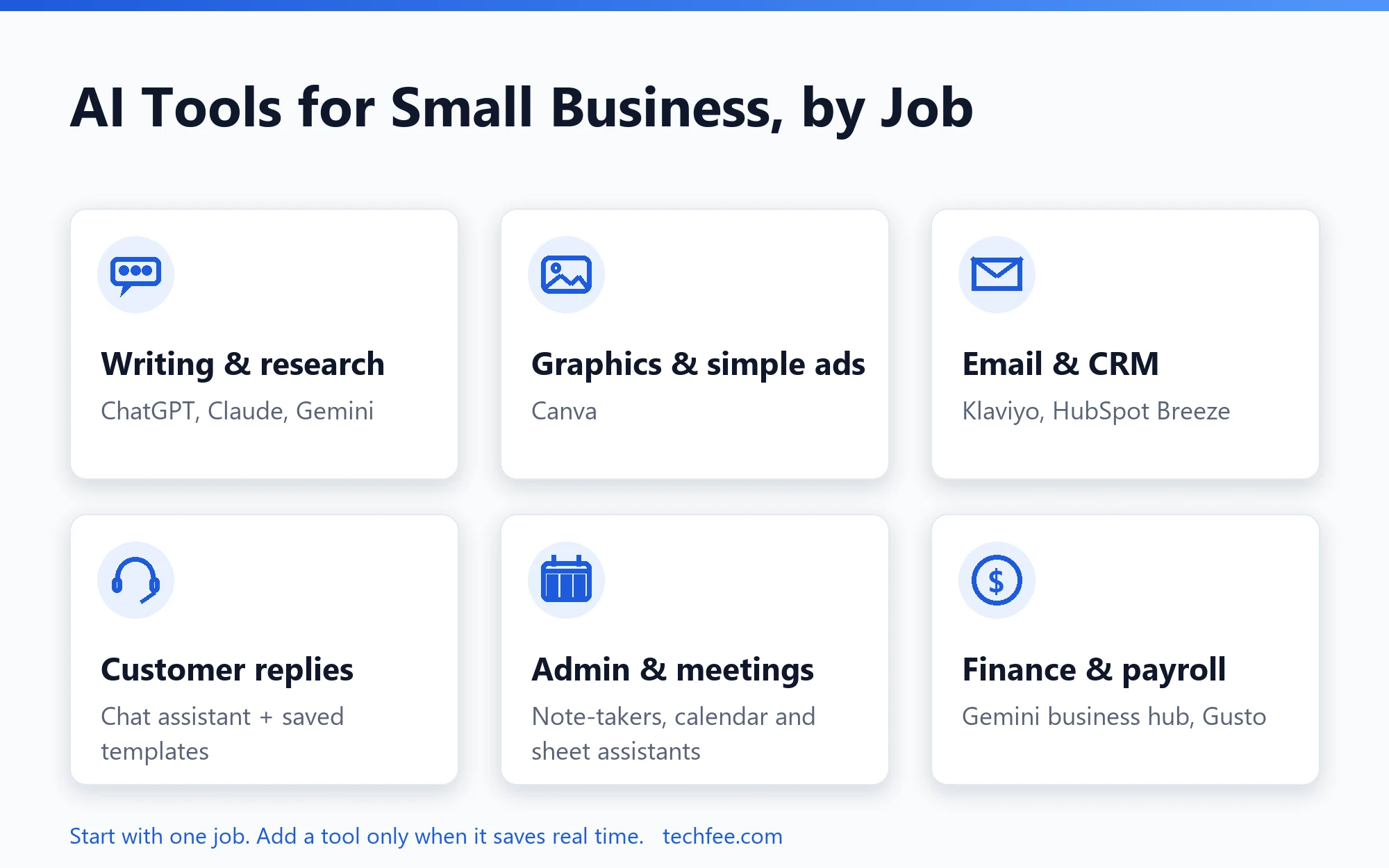
Most small businesses need one tool per job, not a tool for everything. Here are the jobs that save the most time, the tools that fit each one, and whether I have tested them myself.
| Job | Tool examples | Best for | My label |
|---|---|---|---|
| Writing and research | Claude, ChatGPT, Gemini | First drafts, research, summaries, ideas | Tested (Claude, ChatGPT) |
| Graphics and simple ads | Canva | Social posts and ad creatives without a designer | Researched |
| Ad campaigns | Google Ads AI, Meta Creator Marketing Hub | Campaign set-up and creative variations | Researched |
| Email and CRM | Klaviyo, HubSpot Breeze | Segments, email drafts, follow-ups inside your CRM | Researched |
| Customer replies | Chat assistant plus saved templates | Fast answers to repeat questions | Tested |
| Admin and meetings | Meeting note-takers, Zapier | Call summaries, moving data between apps | Researched |
| Finance and payroll | Gemini business hub, Gusto | Finance insights, payroll questions and prep | Researched (new this month) |
How many small businesses use AI in 2026?
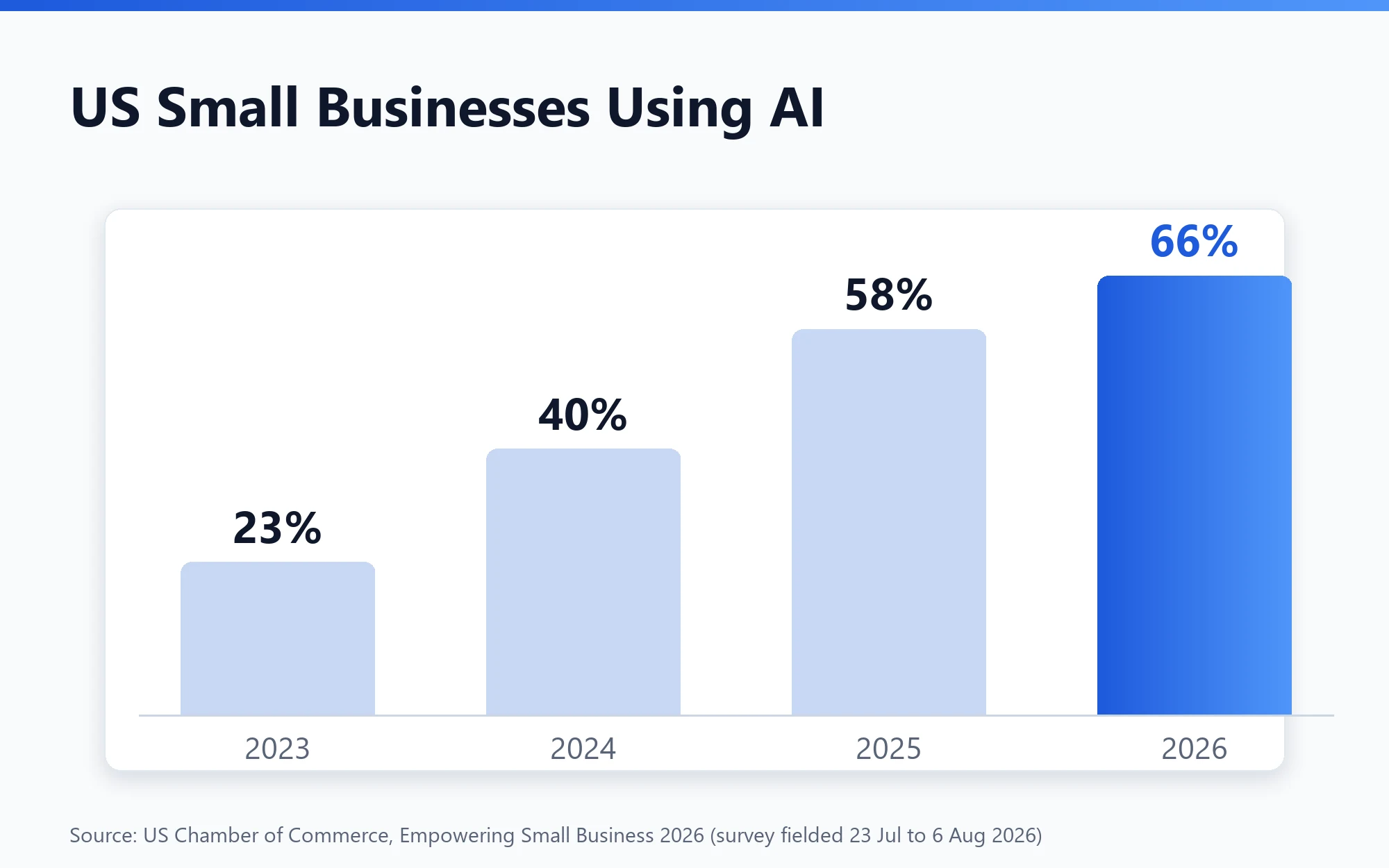
Two thirds of US small businesses now use AI. In the US Chamber of Commerce’s 2026 small business report, 66% said they use AI, up from 58% in 2025, 40% in 2024 and 23% in 2023, and marketing and promotions topped the list of ways they use it. The survey was fielded from 23 July to 6 August 2026 (US Chamber of Commerce).
So you are not late, but you are no longer early either. The gap now is not access to AI, it is knowing which job to hand it first.
How should you start with AI tools for small business?
Start with one repetitive job, not ten tools. List the three tasks that eat the most time each week, pick the most repetitive one, test one tool on it for two weeks, and keep it only if it saves real time with light editing.
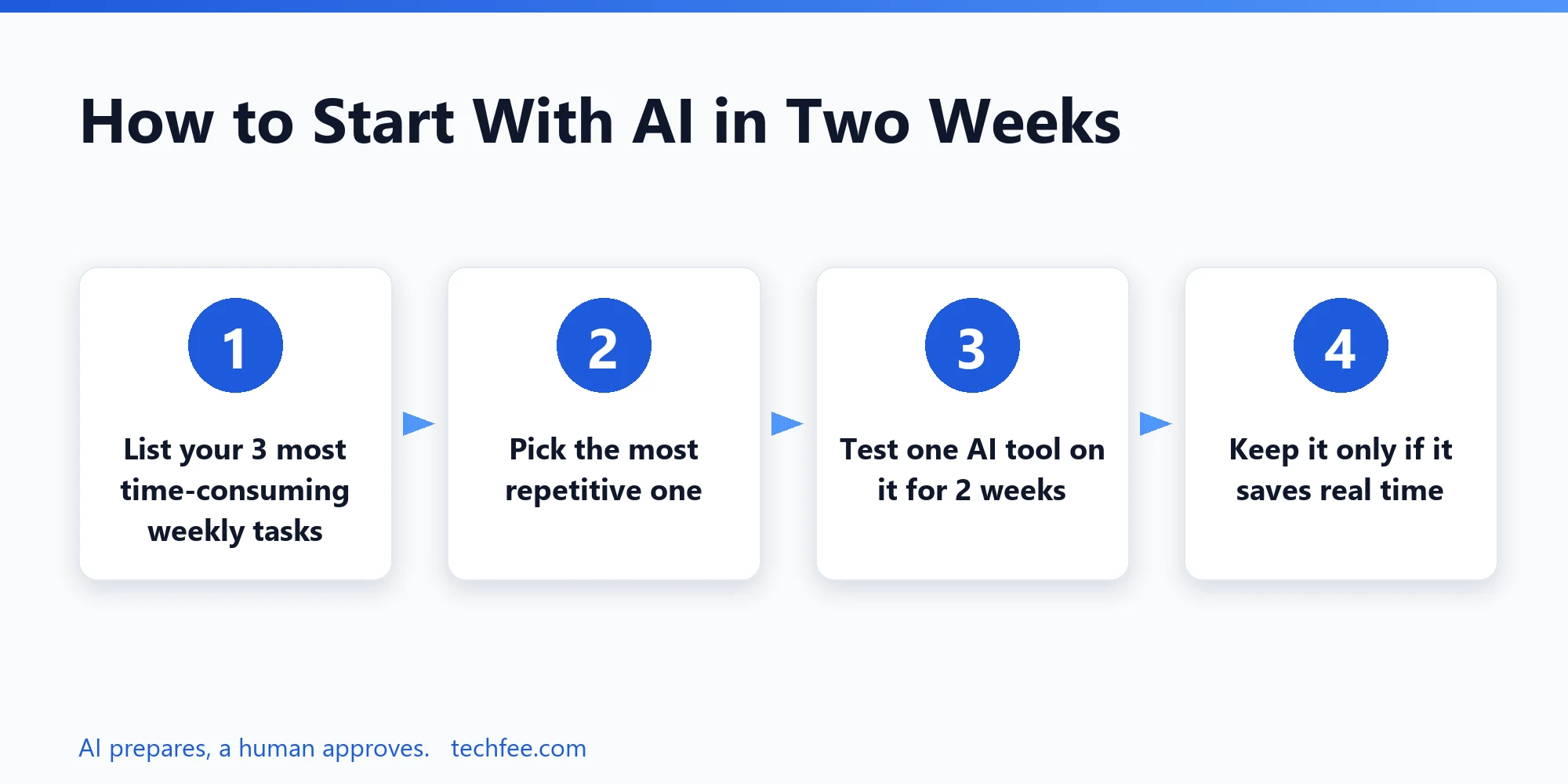
- Write down the three tasks that take the most time each week, for example social posts, replying to enquiries or chasing invoices.
- Pick the most repetitive one.
- Try one tool on that task for two weeks.
- Keep it only if it saves time and the output needs only light editing.
Which AI tools for small business help with marketing?
For most small businesses, a chat assistant handles writing and research, Canva handles graphics, and the AI built into Google Ads, Meta and your email platform handles campaigns. Use AI for first drafts and variations; keep a human for claims, offers and final edits.
Claude and ChatGPT: writing and research (Tested)
Best for: blog drafts, emails, product copy, research summaries and campaign ideas. I use Claude for long, multi-step work and ChatGPT for quick questions and fast research. Both need clear instructions and a fact check before anything goes live.
Gemini: Google-first businesses (Researched)
Best for: owners who already live in Gmail, Docs and Sheets. Google’s new Gemini business hub, announced on 20 October 2026, brings tasks, finances and marketing into one place and connects to Google Business Profile, Google Ads and Google Workspace, plus apps including Adobe, Canva, Dropbox, Shopify, Wix, Zoho and Xero. Google says the tools roll out globally in the coming days (Google).
Canva: graphics and simple ads (Researched)
Best for: social posts, simple ad creatives and resizing designs without hiring a designer. Watch for off-brand colours and fonts if you skip setting up a brand kit.
Platform AI: Google Ads, Meta and email (Researched)
Best for: campaign set-up and creative variations inside tools you already pay for. I have covered Google Ads AI tools, the Meta Creator Marketing Hub, Klaviyo and HubSpot Breeze separately. The common risk is budget drift, so set spending limits before you let any platform AI run.
Which AI tools help with customer replies?
A chat assistant can draft replies to common questions, and many review platforms and CRMs now suggest AI replies. Save the good drafts as templates, and always read before sending, because a wrong promise in a reply is still your promise.
Which AI tools save admin time?
Meeting note-takers, calendar assistants, spreadsheet assistants and automation tools save the most admin time. Note-takers transcribe and summarise calls, calendar tools find meeting times, spreadsheet assistants clean data, and tools like Zapier move information between your apps without code.
- Meeting note-takers (for example Fireflies.ai or Otter.ai): record, transcribe and summarise calls. Tell everyone on the call before you record; consent rules differ by country and state.
- Calendar assistants: suggest times and send reminders.
- Spreadsheet assistants inside Google Sheets and Excel: clean data and write formulas.
- Zapier and similar tools: connect apps, for example sending new leads from a form into your CRM.
Can AI help with finance and payroll?
Yes, and two launches this month make it easier. Google’s Gemini business hub (20 October 2026) adds finance insights and connected apps such as Xero, and Gusto (22 October 2026) now lets owners connect Gusto to Claude, ChatGPT and other AI tools to ask questions about payroll and teams, prep payroll and generate reports, with full transparency and control over the output (CPA Practice Advisor). My rule: AI prepares, a human approves.
How much do AI tools cost a small business?
Usually nothing at first. Free tiers of chat assistants and design tools are enough to test a workflow. Pay only when you hit limits on a task that already saves you time every week. My own paid stack is $40 a month in total.
| Need | Start free with | What I pay for | Worth paying when |
|---|---|---|---|
| Writing, research, multi-step work | Free tier of Claude or ChatGPT | Claude Pro, $20 a month | You use it daily and hit message limits |
| Fast research and quick questions | Free tier of ChatGPT | ChatGPT Plus, $20 a month | You want a second assistant for speed |
| Graphics | Canva free | Not in my paid stack | You need brand kits and bulk resizing |
Prices are what I pay on the plans listed. Check Claude pricing and ChatGPT pricing for your country before you subscribe.
What did not work for me?
My early AI output was slop: generic, hype-heavy and interchangeable. The tools were fine; my instructions were not. Two changes fixed it. First, hard written rules on every task: banned phrases, required structure and voice guidelines. Second, one instruction: share the facts, not the guesswork, and admit uncertainty instead of filling gaps. If AI output is not working for you, fix your instructions before you buy another tool. The full story is in How to use AI in marketing.
What is new in AI for small business this month?
October 2026 was a busy month for small business AI: Google, Gusto and Goldman Sachs all launched something aimed at owners, and OpenAI set a shutdown date for older API models that some automations still use.
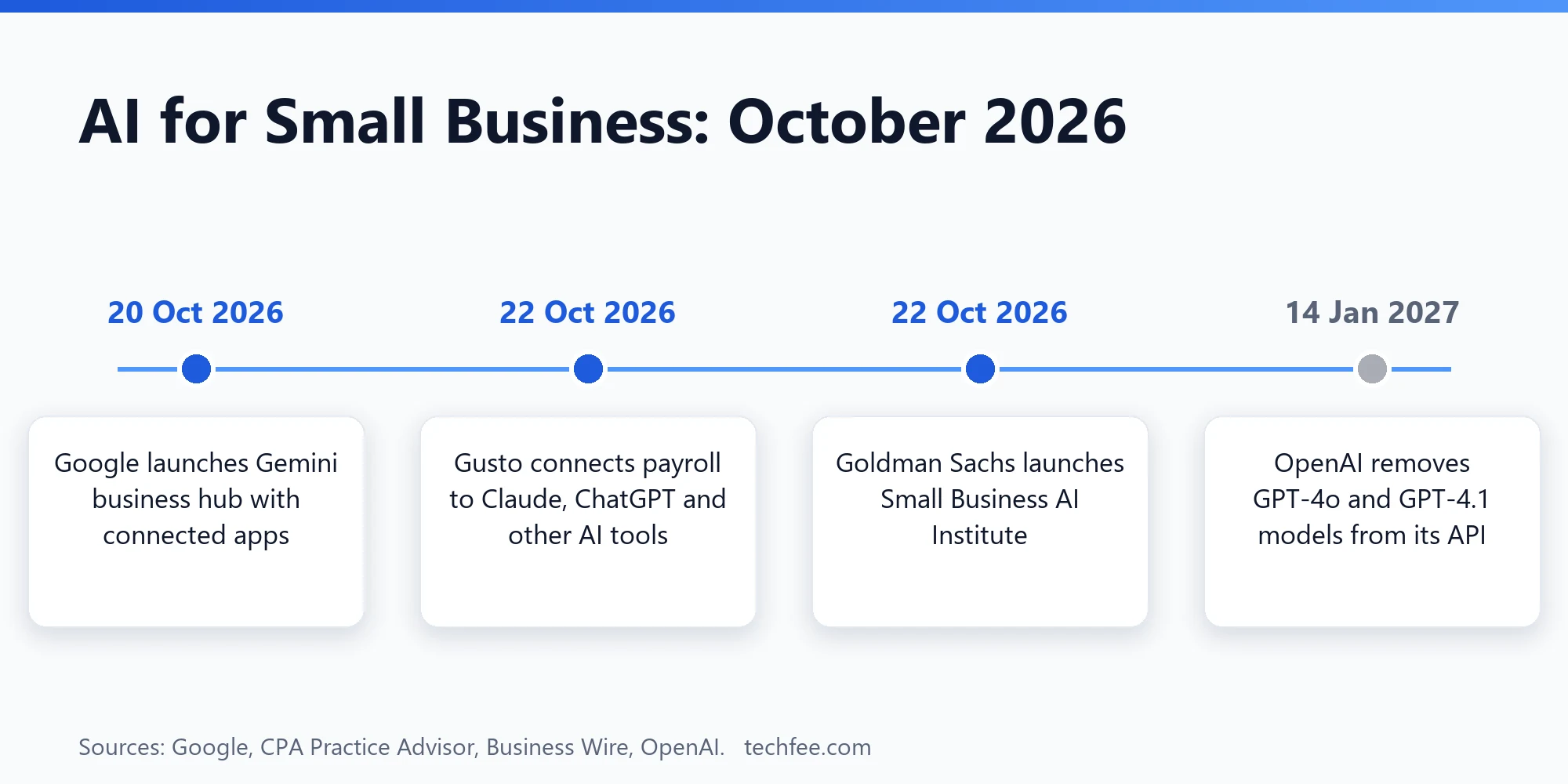
- Google (20 Oct): a Gemini business hub with connected apps and marketing and finance tools (Google).
- Gusto (22 Oct): payroll connected to Claude, ChatGPT and other AI tools (CPA Practice Advisor).
- Goldman Sachs (22 Oct): a Small Business AI Institute as part of a $500 million expansion of its 10,000 Small Businesses programme, with Anthropic, Google, OpenAI and Meta providing training and tools (Business Wire via Yahoo Finance).
- OpenAI (shutdown 14 Jan 2027): GPT-4o, GPT-4o mini, GPT-4.1 and GPT-4.1 mini will be removed from the API. If you built automations on these models, plan the switch now (OpenAI).
For the full monthly picture, see our AI marketing tools update.
What are the risks of using AI tools in a small business?
The three main risks are wrong answers, data privacy and robotic customer experiences. Check facts and prices, read each tool’s data policy before pasting customer details, and keep a human in the loop for anything that touches money or reputation.
- Accuracy: AI tools make confident mistakes. Check facts, prices and anything legal.
- Privacy: read each tool’s data policy before pasting customer details; business and team plans usually offer stricter data controls than personal plans.
- Over-automation: customers notice robotic replies. Keep a human for money, reputation and trust.
What I haven’t tested yet
- Google’s Gemini business hub: announced on 20 October and still rolling out.
- Gusto’s AI connection for payroll: I do not run payroll through Gusto.
- Meeting note-takers such as Fireflies.ai or Otter.ai on client calls.
- Canva’s paid plan for brand kits and bulk resizing.
When I test any of these on real work, I will update this article and say what changed.
FAQ
Which of the AI tools for small business is best?
There is no single best tool. One chat assistant plus the AI already built into the tools you pay for (email, CRM, accounting, design) covers most needs.
Are there free AI tools for small business?
Yes. Most chat assistants and design tools have free tiers that are enough to test a workflow before you pay.
How much do AI tools cost a small business?
You can start for free. My own paid AI stack is $40 a month: Claude Pro and ChatGPT Plus at $20 each.
Do I need technical skills to use AI tools?
No. Chat assistants work in plain language. The skill that matters is giving clear instructions and checking the output before you use it.
Can AI tools replace employees in a small business?
In my experience, AI replaces tasks, not judgment. It drafts, summarises and sorts quickly, but a person still needs to check facts, make decisions and own customer relationships.
Is AI worth it for a small business?
Two thirds of US small businesses now use it, according to the US Chamber of Commerce. It is worth it when it saves real hours on repeat tasks, not when you spend more time fixing output than doing the task.
Is it safe to put customer data into AI tools?
Only if the tool’s terms allow business use and protect your data. Check the data policy and use business plans where possible.
My Take
You do not need ten AI subscriptions. Pick one chat assistant, use the AI already inside the tools you pay for, and give it one repetitive job for two weeks. If it saves real time, keep it; if you spend longer fixing the output, drop it. October’s launches from Google and Gusto make finance and payroll the next jobs worth watching, but I will only recommend them once I have tested them on real work.
You read all the way to the end, so you clearly want AI to earn its place in your business. Now I want to hear from you.
Tell me in the comments below: which AI tool are you paying for right now, and is it actually saving you time? Which tool, launch or AI news story do you want me to test or explain next? Name it, and I will put it on my test list, so you can stop paying for tools that do not earn their keep. I read every comment and use them to decide what I test next.
Then join the Techfee newsletter. Every week you get guides and insights on AI marketing tools and news, written from real tests, not hype. Skip it, and you are back to reading vendor listicles that all recommend their own product.
Sources
- US Chamber of Commerce, Empowering Small Business 2026 (checked 27 Oct 2026)
- Google, New Gemini tools for small business owners (20 Oct 2026)
- CPA Practice Advisor, Gusto Fall Showcase (22 Oct 2026)
- Business Wire via Yahoo Finance, Goldman Sachs Small Business AI Institute (22 Oct 2026)
- OpenAI API deprecations (checked 27 Oct 2026)

Afraz Alam is a digital marketing consultant at Afraz Alam Marketing Services (afrazalam.com) and the writer and editor of Techfee, where he tests AI marketing tools, workflows and automation on real work and reports what works, what fails and what is worth the money.